PINOUT & PLATE may earn a commission from merchant links on this page at zero additional cost to you. How PINOUT & PLATE is funded
Swapping keycaps is the most straightforward mechanical keyboard modification, altering sound signature, typing ergonomics, and visual presentation in a single pass. However, navigating aftermarket listings requires filtering through ambiguous marketing terms and verifying stem tolerances, profile geometry, and bottom-row layout compatibility before buying.
1. Tall & Sculpted Profiles: Deep Acoustics and Vintage Feel
Sculpted profiles feature varying heights and angles per row, designed to match the natural arc of your fingers. Taller keycaps—such as SA profile—create a larger internal acoustic chamber, which naturally emphasizes lower-pitched bottom-out sounds ("thock").
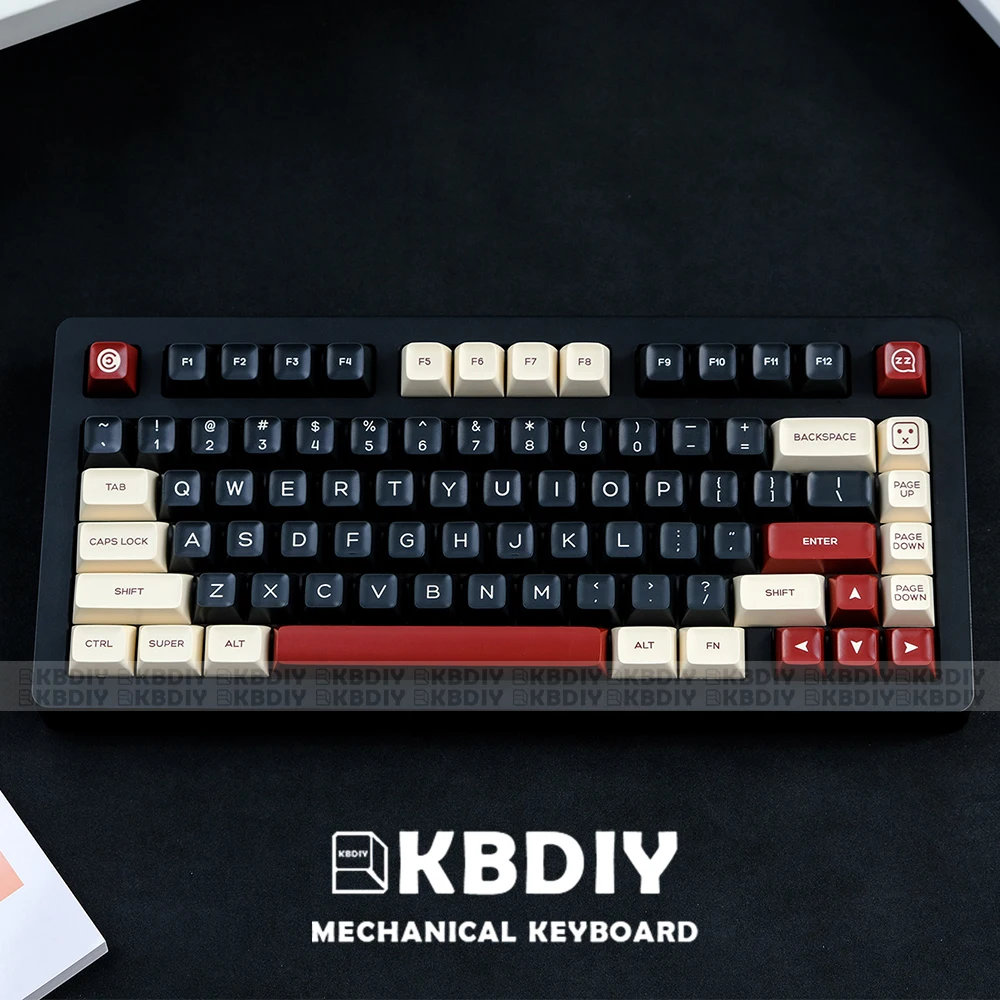
For builders looking for deep dish tops and high-profile vintage aesthetics, the KBDiy Rome SA Profile set combines double-shot PBT molding with wide layout support, including dedicated 7U spacebar and ISO enter options for custom mechanical keyboard kits.
2. Uniform & Spherical Profiles: Flat Alignment and Versatility
Unlike sculpted keycaps, uniform profiles maintain an identical height and spherical top across every row (R1 through R4). This provides complete freedom when arranging custom key layouts or non-standard macro columns, as keys can be swapped between rows without disrupting physical alignment.
XDA profile offers a wide, flat surface area with gentle spherical indents. The Graffiti XDA Profile PBT Keycap Set uses this uniform format across 125 keys, making it compatible with compact MX-switch boards where novelty positioning varies.

For users who prefer the comfortable spherical scoop of vintage terminals without the excessive height of SA, medium-height hybrid profiles like KOA profile bridge the gap. The KBDiy Retro MAC Style Set provides an ergonomic spherical shape tailored for Apple and PC layouts, complete with 138 keys for broad form-factor coverage.

3. Illumination Profiles: Pudding and Polycarbonate Transparency
Standard solid PBT keycaps block RGB backlighting, restricting glow strictly to the plate gaps. If internal switch lighting is central to your build, you need specific keycap constructions designed for optical diffusion or direct transmission.
Pudding Keycaps (Dual-Layer)
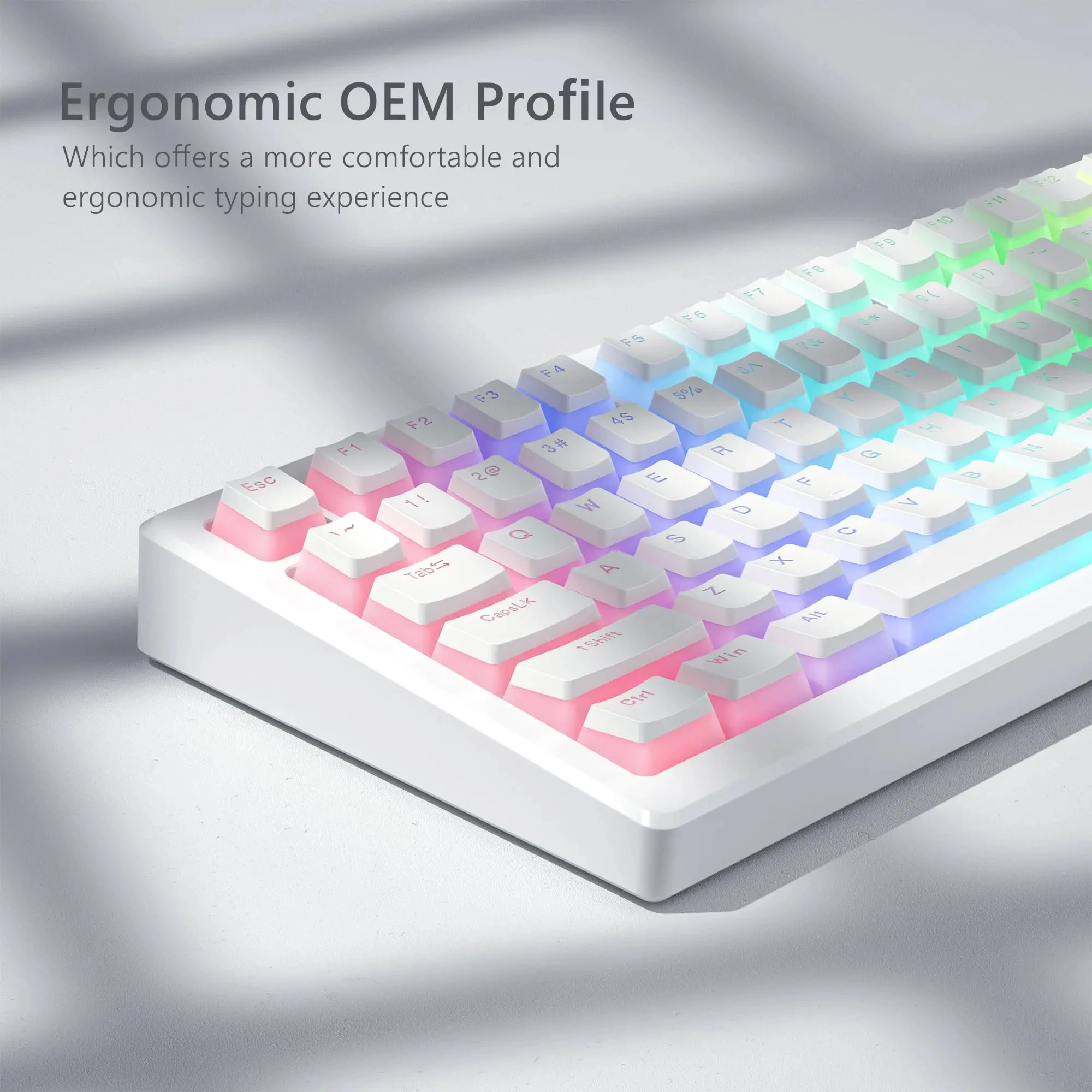
Combines a solid, textured PBT top to prevent shine with translucent frosted sides. This diffuses per-key LEDs evenly across the board while maintaining legible legends.
Full Polycarbonate (PC)
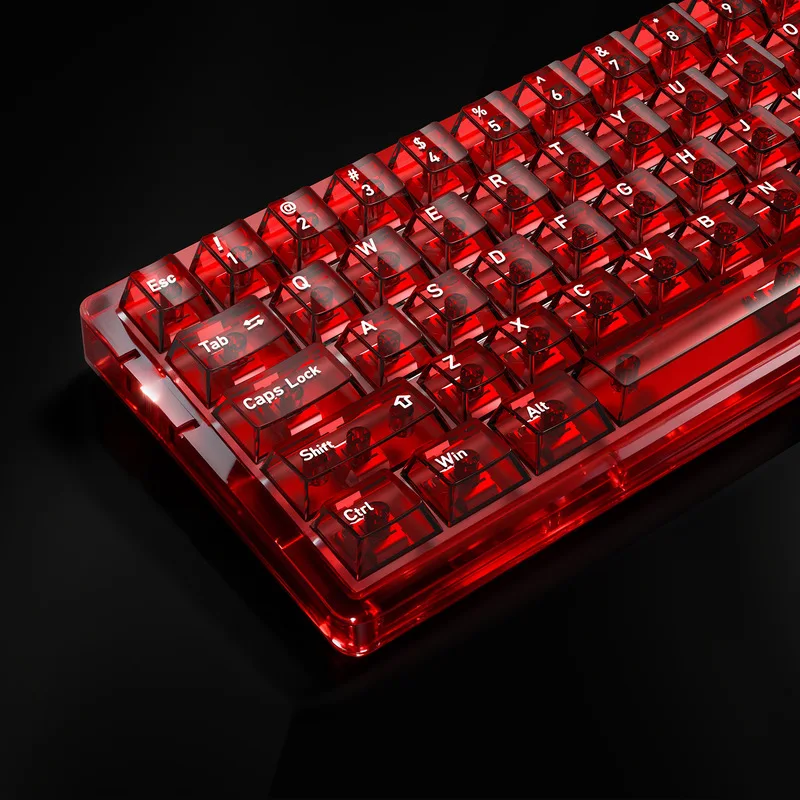
Molded from completely clear or tinted high-impact polymer. Maximum light pass-through with a glossy surface texture and sharper, higher-pitched bottom-out acoustics.
The 129-Key White Pudding PBT Set utilizes a standard OEM profile, making it a drop-in replacement for mainstream 60%, 65%, 75%, and full-size gaming keyboards looking to maximize underglow.
Alternatively, the 136-Key Fully Transparent PC Keycap Set features a classic Cherry profile with multilingual sub-legends, delivering full switch visibility on south-facing or north-facing switch configurations.
Keycap Selection & Fitment Checklist
Before confirming your order, verify these four physical hardware points against your switch and plate specifications:
- Switch Stem: Ensure your switches feature standard cross-shaped Cherry MX stems (or box stems with standard center crosses).
- Right Shift Size: Compact layouts (65%, 75%, 96%) typically require a 1.75u Shift key instead of standard 2.75u. Verify the set's key count includes this size.
- Spacebar Wire Spacing: Standard retail keyboards use a 6.25u wire spacing. High-end custom kits often support or require a 7u spacebar wire.
- Switch Orientation: Low-profile sculpted keycaps (like Cherry profile) on north-facing switch PCBs can occasionally cause top-housing interference on Row 3 (ASDF row). OEM, SA, and uniform profiles (XDA) clear north-facing LEDs without contact.

